Getting started with the Minecraft skin render API
Render a Minecraft skin from one URL: UUID or username, all eight render types, copy-paste examples, caching and error handling. Free API docs, no key.
The URL
Every image the Minecraft skin render API produces has the same address shape. There is no request body, no header you must send and no key.
http
GET https://skinrender.dev/render/<id>/<type>?<parameters>
→ 200 OK, Content-Type: image/png
Dashed or undashed, case-insensitive. The stable choice: a UUID never changes, so a stored URL keeps working after the player renames.
Username
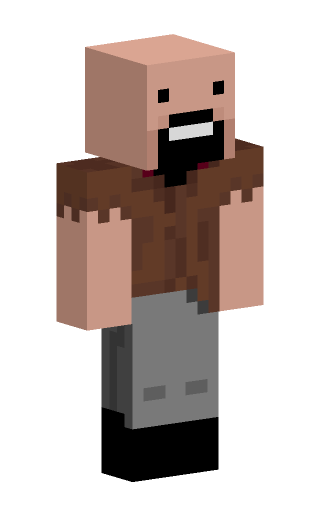
Notch, jeb_
1–16 characters, case-insensitive. Resolved to a UUID through Mojang; usernames can be reassigned, so prefer UUIDs in anything you persist.
Texture hash
texture:d5c4ee5c…fb2eb3f
The 64-hex hash from a textures.minecraft.net URL, with or without the texture: prefix. Skips the profile lookup entirely and is cached as immutable.
Default skins
steve, alex
The two built-in skins. Handy for placeholders, tests and docs; they never touch Mojang.
Anything else, such as a 20-character name or a malformed hash, answers 400 with a plain-text reason.
Render types
Each type has its own default size and aspect ratio. The three 3D types (head, bust, body) accept camera and pose parameters; the flat ones are pixel-exact layouts of the texture.
Parameters are grouped into 7 families. Every one of them is listed in the parameter reference, which is generated from the same table the parser reads.
Output: Size, background and how the file is delivered.
Camera: Where the model is viewed from. 3D renders only.
Pose: Named poses and per-joint rotations, in degrees by default.
Fallback: What happens when a skin cannot be found.
A few rules apply everywhere:
Booleans accept 1/0, true/false, yes/no, on/off, or the bare key (?crop means crop=true).
Angles are degrees unless units=rad, and they wrap rather than error.
size is the height; width follows the type’s aspect ratio unless width or height is given. Nothing exceeds 1024 px per side.
Unknown parameters are ignored and listed in the X-Ignored-Params response header. Out-of-range values are a 400.
Parameter names are case-insensitive and most have short aliases (w, h, bg, rotate…).
The render type may end in .png. /body.png and /body are the same request, down to the ETag; the ending exists for forum tags, webhooks and site builders that only accept a URL that looks like an image file.
Profile JSON
If you need the resolved profile rather than an image, usernames and UUIDs work on the JSON endpoint too — see the UUID lookup guide:
model is Mojang’s own metadata, not the arm width a render picks: model=auto upgrades a classic profile to slim when the texture is a slim one.
Caching advice
Renders are deterministic: the same URL always produces the same bytes. That makes them safe to cache anywhere, and you should.
Responses carry Cache-Control: public, max-age=3600, stale-while-revalidate=86400; texture-hash and default-skin renders are immutable.
Every response has an ETag. Send it back as If-None-Match and you get a 304 with no body.
On our side, profiles are cached for 15 minutes, textures for 24 hours and finished PNGs for an hour in memory. The first request for a player is the slow one (a few hundred milliseconds, because Mojang has to be asked); everything after is served in a few milliseconds.
If you render the same players over and over, put a CDN or your own cache in front, or fetch once and store the file.
The details, including Mojang’s rate limit on profile lookups, are on the caching and limits page.
Error handling
Errors are plain text with an appropriate status code, never a PNG that looks like an error.
Status
When
400
Malformed identifier, unknown render type, or a parameter value outside its range.
404
The player does not exist or has no skin, and you asked for default=none. Without it, Steve or Alex is rendered instead and X-Skin-Fallback says so.
502
Mojang could not be reached and nothing was cached, again only with default=none.
In an <img> you rarely need to handle any of this: with the default fallback a valid URL always yields an image. When you fetch programmatically, check response.ok and read the body as text on failure.
Next steps
Render types: sizes, aspect ratios and examples per type.
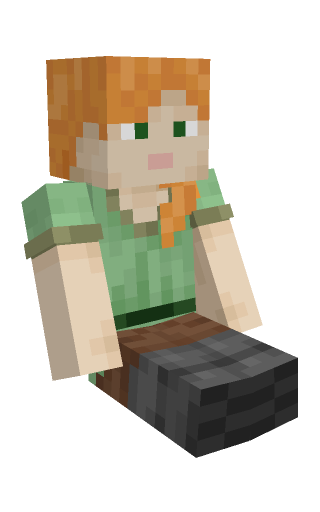
Poses: named poses, per-joint control and animation frames.
Examples: profile pictures, Discord embeds, server cards.
llms.txt: this whole API as one plain-text file, generated from the same source as these pages, for pasting into a model that is writing the code with you.